
App Installation Step by Step at GGBet Casino for Ireland
- Posted by vela13762
- On 15/10/2026
- 0
This guide will guide you through installing the GGBet Casino app on your phone or tablet https://betgg.eu/en-ie. We’ll go over each step thoroughly, so you can get started without any hassle. The whole process is quick, secure, and designed to work right the first time. Let’s get your device ready for some gaming.
Why You Should Download the GGBet Casino App
The GGBet Casino app improves how you play. It runs faster and more reliably than using a mobile browser. Every part of the interface is designed for touchscreens and easy use. Players who use the app sometimes get exclusive bonuses first, which is a nice perk. Having instant access, with better security built in, makes downloading it a good decision.
Consider placing a quick bet on the bus or spinning a slot during a break. The app makes that possible because it’s engineered specifically for mobile hardware. Games load quicker, and the graphics look sharper on your phone’s screen. The app can also recommend games you might enjoy based on what you play. It’s the best option for playing on the go.
We’ve integrated strong security right into the app. You can log in with your fingerprint or face scan, which is safer than a browser password. The app operates in a more secure environment, which helps protect your data. Your connection to our servers is also more stable, so you’re less likely to get dropped from a live game. For security and performance, the app is the way to go.
Stage Three: Downloading the App on Android
For Android users, there’s one extra setting to change first. Go to betgg.eu on your phone’s browser. Before you tap download, you must allow installations from outside the Play Store. Go to your Security settings and enable “Install from Unknown Sources” for your browser. Then tap the download link for the GGBet APK file. Once it’s downloaded, open the file to start the installation. Your phone will lead you through the rest.
The name of this setting can differ. On a Samsung phone, go to Settings, then ‘Biometrics and security’, and find ‘Install unknown apps’ to grant permission to your browser. You must do this once. You can turn this permission off again after you install our app. Our APK file is safe and we scan it regularly for issues.
After you tap the download link, check your notifications. Tap on the downloaded APK file to launch the installer. A screen will show what permissions the app needs, like access to the network for gameplay. Read it over, then tap ‘Install’ and wait. When it’s done, you’ll see an ‘Open’ button. You can launch it then or find the icon in your app drawer later.
Stage Five: Signing In or Setting Up Your Account
Launching the app shows you the login screen. If you’re already registered, enter your username and password. New players need to tap the registration button. You’ll have to supply some basic details to create your account securely. You need to be old enough to gamble legally and be in a place like Ireland where it’s legal. This short sign-up is your ticket in.
The registration form is designed for mobile, with simple fields for your email and a secure password. Pick your currency—Irish players usually use Euros. The whole sign-up needs less than three minutes. Be accurate with your information, as it must match your ID for any future account checks.
After you send the form, look at your email for a verification link and tap it. This step is important for security and activates your account. If you’re an existing player who forgot your password, use the ‘Forgot Password’ link to change it via email. Once you’re in, you can enable biometric login for next time, using your fingerprint or face to access instantly.
Stage One: Locating the Genuine GGBet App
Your primary job is to locate the real app, and your security is the priority. For Apple devices, the sole place to obtain it is the official App Store. Just browse for “GGBet Casino” there. Android users have to install the APK file directly from our website, betgg.eu. Don’t install the app from any different websites. We constantly have the right download link straight on our homepage.
In the App Store, check for our lime and ebony logo. The developer should be displayed as “TECHNOLOGY SERVICES LTD”. For Android, type betgg.eu directly into your phone’s browser. Once you’re on our site, you’ll see the download link in a visible banner or in the ‘Mobile Applications’ section. We maintain this process easy and secure.
Third-party app stores can be risky. They might have counterfeit versions of our app that hold malware. These versions can look real but are intended to take your login credentials. We only provide our Android APK through our own safe website. Adhering to our official channels ensures you’re getting the secure, supported software.
Stage Two: Installing the Application on iOS
Getting the app on your iPhone or iPad is straightforward. Access the App Store and find “GGBet Casino.” Click the “Get” button to start the download. You have to authenticate with your Apple ID password, Touch ID, or Face ID. The app’s icon will appear on your home screen and install by itself. The whole procedure typically takes around a minute.
If your smartphone has auto-download enabled, it may begin immediately. You can watch the progress by the progress indicator on your screen. Go ahead and use your device for other tasks while the download is happening. Using Wi-Fi is recommended to avoid using your mobile data and to make sure it downloads fast. It’s one of the most straightforward installations you’ll experience.
When the icon stops animating, the installation is complete. The first time you open it, you might briefly see a ‘Loading…’ message, which is standard. If anything looks unusual, try turning your device off and on —that often fixes small glitches. The iOS app has passed Apple’s approval, so you know it’s been checked for quality and security. You receive a refined application made for your device.
Navigating the App Interface for the Initial Time
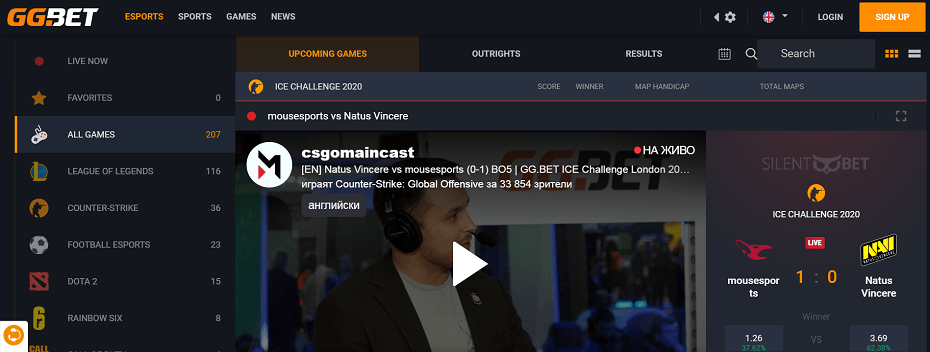
Your first look at the GGBet app is simple. The main screen shows popular games, active promotions, and some quick links. A menu at the bottom lets you jump between Sports, Casino, Live Casino, and Promotions. Games are sorted into clear categories so you can find what you want. Spending a minute familiarizing yourself with the layout will pay off later.
Navigate to the Casino section to browse our full library of slots, which you can sort by theme or features. The Live Casino tab brings you to real tables with live dealers. The Sportsbook is loaded with options; use the menu to choose a sport, and the main area shows live matches and odds. Everything is laid out to help you locate things quickly.
Don’t miss the profile icon. That’s your hub for your account, banking, and settings. You can view your bet history, make a deposit, or configure spending limits there. Use the search bar if you are looking for the exact game or event you want. Explore and check it out—the app works fast. In no time, it’ll turn into your own personal gaming station.
Troubleshooting Common Installation Issues
Sometimes things don’t go as planned. If the app won’t install, check your internet and phone storage. Android users who get a “Blocked by Play Protect” message can tap “Install anyway”. For other problems, delete the partial download file and start over from our website. If the app crashes as soon as you open it, make sure your phone’s operating system is updated. Our support team can aid if problems keep persisting.
A frequent Android error reads “App not installed.” This often means there’s a mismatch. Go to your device settings, find ‘Apps’, and look for any partial version of GGBet. Uninstall it completely. Clear your browser’s cache, then download the APK file once more. Check that the file size is around 90-100 MB. Restarting your phone after an uninstall often solves the problem.
On iOS, if the app gets stuck launching, force-close it and try another time. Swipe up from the bottom and swipe the app preview away, then relaunch it. If that doesn’t work, delete the app and reinstall it from the App Store. Don’t worry, your account and balance are saved on our servers, so reinstalling won’t impact them. These steps fix most issues quickly.
Stage Four: Setting Up and Starting the App
Once the download ends, installation begins. On iOS, this happens automatically. On Android, you approve it after tapping the APK. Find the bright GGBet icon on your home screen. Click it to open. The first time you launch it, it might require a few extra seconds to load. That little bit of delay means you’re almost there.
This first launch prepares the app for your specific device. You’ll most likely see a splash screen with our logo. Do not close the app while this is taking place. On some Androids, Google Play Protect might show a warning. Just tap ‘More details’ and then ‘Install anyway’. This is a common warning for apps not from the Play Store. Our app is secure to use.
When the app opens, you’ll see the main screen. Proceed and enable any permissions it requests, like notifications, so you don’t miss out on bonus alerts. If the app won’t launch, recheck your device’s operating system version and make sure you still have memory. Sometimes, just turning off and on your phone solves launch problems.
Confirming Your Device Readiness Beforehand
To begin, take a minute to confirm your device can run the app. For those with an iPhone or iPad, you’ll need iOS 12.0 or newer. Android phones must operate on Android 7.0 (Nougat) or newer. You also need to have a reliable internet connection and some free space—approximately 100 MB to begin. Verifying this early helps prevent problems down the line.
To find your iOS version, open Settings, select General, then tap ‘About’. On an Android device, access Settings, navigate to ‘About Phone’, and look for ‘Android Version’. It is advisable to apply any outstanding system updates too. A modern operating system enables the app to function well and maintains its security.
We in fact advise having closer to 500 MB of free storage. This provides the app space to store temporary data for your games and to fetch updates. A dependable Wi-Fi or 4G/5G connection is important, notably for gaming in the Live Casino where the video should be clear. Handling these matters early ensures you can just focus on enjoying the games.
Enhancing Your Journey with App Capabilities
Now that you’ve started, let’s explore what the app offers. Turn on push notifications to obtain notifications about new bonuses or when your bets settle. Use the secure cashier inside the app to process deposits. Try live streaming and in-play betting for sports. Click the star icon to save your most-played games. These tools provide you more influence over your gaming.
Enter the cashier to view payment methods that are suitable in Ireland, like debit cards and e-wallets. Deposits arrive in your account right away. Sports fans can view events they’ve bet on through the live streaming function inside the app. In the casino, place slots to your ‘Favorites’ list to create a custom lobby of your top games.
Regularly checking the ‘Promotions’ tab for offers that might only be for app users, like free spins. The app lets you to make bets rapidly from your bet slip. In the Live Casino, you can use the chat to communicate with the dealer. If you’re monitoring your data usage, you can decrease the video quality in the settings. Mastering these features converts your phone into a complete gaming tool.
What to Do After Completed Installation
With the app installed, it’s time to explore. Look at the promotions first to claim any welcome offers for new app users. Test a popular slot or make a small bet to see how responsive the app feels. Check the settings to change things like sound or notification preferences. Keep in mind, you can contact our support team directly from the app. The whole GGBet experience is now in your pocket.
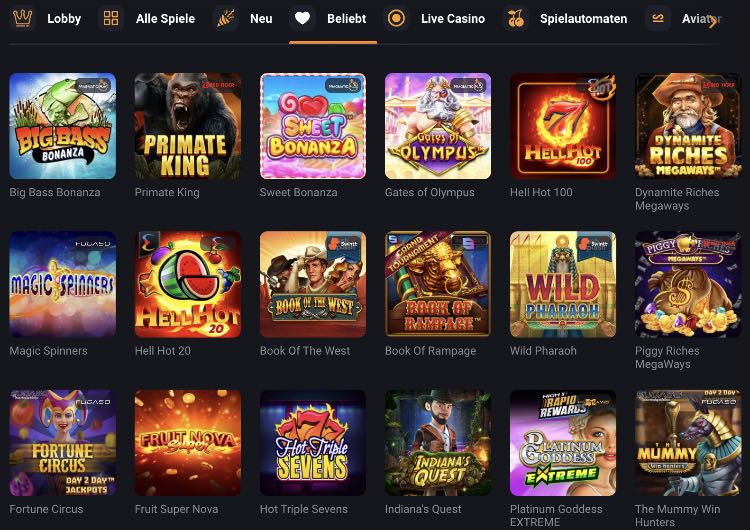
We recommend making a small first deposit to make the most of any welcome bonus. Sample different types of games—you might discover you love live game shows. Many slots have a demo mode you can play to try them without risking money. Employ the responsible gambling tools in your account settings to create a budget from the start. This allows keep your gaming fun and under control.
Last, let the app work for you. Tailor it by picking your favorite sports leagues for quick access. Create alerts for when your team is about to play. The more you use the app, the more it feels like your own. Share with your friends about it if you like it. We’re always adding new features based on what players share us. Your gaming journey kicks off now, and we’re eager for seeing you play.
0 comments on App Installation Step by Step at GGBet Casino for Ireland